

Room setup is one of the most overlooked decisions in meeting planning — and one of the most consequential.
The way people are arranged in a room shapes how they participate. It affects whether they engage or sit back, whether they collaborate or observe, whether they can see each other or just the back of someone’s head. I’ve walked into rooms where the setup made my job as a facilitator significantly harder before the session even started.
When I’m advising clients on room configuration, everything comes back to three questions: Does every participant have an unobstructed view of the front of the room and the facilitator? Can they see the other people in the room? And does the configuration make collaborating with others easy? If any of those fails, engagement suffers.
Here’s what I recommend based on the type of session.
U-Shape: Strategic Planning and Facilitated Discussions
For strategic planning sessions with 15 or fewer participants, the U-shape is my default recommendation. Everyone faces the front of the room where the facilitator works, but they can also see each other. That matters. Strategic planning requires real conversation — people reacting to each other’s ideas, building on what someone else said, reading body language when a topic gets sensitive. You can’t do that staring at the back of someone’s head.
The open end of the U gives the facilitator room to work — moving between the screen, the whiteboard, and the group. It also creates a natural focal point that keeps the group oriented without feeling like a lecture.
Best for: Strategic planning retreats, leadership offsites, facilitated discussions, board retreats, and any session where group dialogue is the primary mode.
Rounds or Pods: Training Workshops
For our training sessions, I recommend tables for four or five. This configuration is built for hands-on work — small-group exercises, role-plays, peer practice, and coached feedback. Participants have a home base they work from throughout the day, with a small team they collaborate with on exercises.
Rounds also make it easy to shift between facilitator-led instruction and small-group work without rearranging the room. The facilitator can move between tables, observe practice sessions, and coach in real time.
Best for: Facilitation training, meeting management skills workshops, any session where participants need to practice skills in small groups and receive feedback.
Conference Table: Small Teams and Leadership Meetings
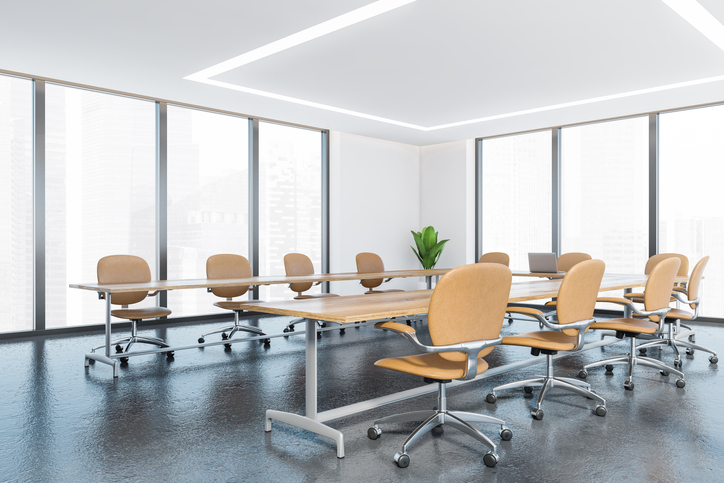
A conference table works well for small planning teams or leadership meetings — typically eight to twelve people. The group is close enough for direct conversation, and everyone has a clear sightline to each other. It feels natural for a group that already works together and needs to make decisions efficiently.
One setup detail that matters more than people realize: position the screen on the shorter end of the table. When the screen is on a long side, half the group has to turn their heads or twist their chairs to see it. Put it on the short end, and everyone faces it naturally. Small adjustment, noticeable difference.
Best for: Executive team meetings, small planning committees, board meetings, and any session with fewer than twelve participants focused on decision-making.
What I Rarely Recommend: Classroom Style
Classroom setup — rows of chairs or tables all facing the front — is standard for presentations and lectures. But I rarely recommend it for facilitated sessions. The reason goes back to the core principle: people can see the facilitator, but they can’t see each other.
When participants are sitting side-by-side in rows, collaboration is difficult. They can’t read the room. They can’t react to what someone across the room just said. The setup signals “listen and absorb” instead of “engage and contribute.” For a keynote or a one-directional presentation, that’s fine. For facilitation — where the value comes from the group’s thinking, not the facilitator’s — it works against you.
If a client is locked into a room that’s already set classroom-style and can’t be rearranged, we make it work. But given the choice, there’s almost always a better option for facilitated sessions.
Theater Style: Large Audiences
For larger gatherings — conferences, summits, all-hands meetings — theater style (rows of chairs without tables) is sometimes the only practical option. The priority is sightlines and capacity. When we facilitate sessions in this format, we rely more heavily on digital collaboration tools to create engagement that the room layout doesn’t naturally support. Anonymous polling, real-time input, and structured small-group breakouts help bridge the gap.
Best for: Keynotes, large presentations, conferences, and sessions where the audience exceeds 50 and the primary format is presenter-to-audience.
The Setup Conversation Is Part of the Design
Room configuration isn’t a logistical afterthought — it’s a design decision. When we’re working with a client to plan a meeting or retreat, the room setup conversation happens early. We ask about the venue, the room dimensions, the group size, and the type of work the session needs to produce. Then we provide a meeting room diagram with the recommended configuration so the client can send it directly to the venue. No guesswork, no miscommunication with the events team on-site.
Ninety-five percent of the time, the room is set up exactly how we need it. But occasionally we arrive and the setup isn’t what was requested — the room is smaller than expected, the tables are fixed, or the venue made a substitution. When that happens, we adapt. We’ve facilitated enough sessions to know how to work with a less-than-ideal layout and still deliver the engagement and outcomes the client is counting on. The room matters, but it doesn’t have to be perfect for the session to be productive.
If you’re planning a session and aren’t sure how to set up the room, let’s talk. It’s one of the easiest things to get right — and one of the most common things organizations get wrong.


Comments are closed.